
Tutorial videos have become mainstream across social media platforms like TikTok and YouTube. These videos help viewers learn new skills while watching someone demonstrate techniques step by step. Whether you’re a professional makeup artist, coding enthusiast, or someone who loves sharing knowledge, creating tutorial videos offers an effective way to connect with people online and build a community following.
Why Tutorial Videos Work So Well
Online videos reached 93 percent of worldwide internet users according to reports by Statista. The ability to engage, inform, and inspire viewers makes video content highly engaging. Tutorial videos are particularly valuable because they show rather than just tell, making it easier for your audience to understand and follow along. From beauty tutorials to software guides, these videos help people learn something new while building your brand awareness.
Planning Your Tutorial Video
Before hitting record, determine your purpose and target audience. Think about what you want viewers to accomplish after watching. Are you teaching a quick makeup technique or explaining coding basics? Your content should match your audience’s needs and the platform you’re using.
Start by researching trends in your industry. Search Google or YouTube to see what topics are popular and what questions people are asking. This research helps you decide on your video’s theme—whether it’s achieving a natural makeup look quickly or creating Halloween makeup looks for a niche audience.
Write a script or outline covering the topics you’ll discuss. For casual videos, a general list of points works well. For more corporate or detailed tutorials, consider writing word-by-word scripts. Create a storyboard that includes visuals and illustrations for each scene, giving you a clear visual sense of how your message will flow.
Gathering Your Equipment
You don’t need expensive gear to start. Modern smartphones are capable of recording high-definition 4K videos, making them sufficient for beginners on a tight budget. If your budget allows, cameras like the Canon G7X Mark III, Sony ZV-E10, or iPhone 15 Pro offer excellent video resolution.
Audio quality matters tremendously. Bad audio quality will quickly turn off viewers and make them click away. Invest in a microphone, USB condenser microphones offer optimal high-frequency audio recording at an affordable price point. Dynamic microphones are durable, versatile, and lower in sensitivity, making them great for various recording situations.
Lighting setup is crucial. Dim lighting makes it difficult for the camera to focus and for makeup application or demonstrations to show up clearly on screen. You don’t need expensive key lights and fill lights when starting out. Ring lights available in the market work well and are budget-friendly. They light up your face adequately and reduce harsh shadows.
Use a tripod or phone stander to keep your camera stable. A teleprompter can help if you forget your lines while demonstrating techniques.
Setting Up Your Filming Space
Choose an appropriate scene for video filming. Your background plays a role in capturing viewers’ attention without distracting from the techniques you’re demonstrating. A clean, tidy setting that aligns with your personal style works best. A dedicated filming space can elevate the visual appeal of your videos.
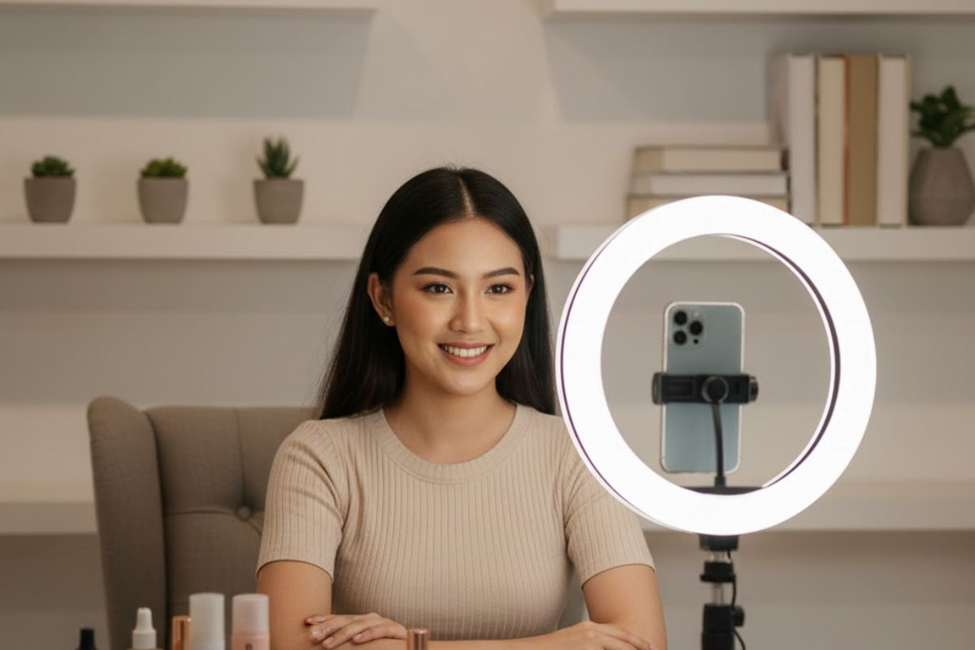
For makeup tutorials, prepare all your cosmetics beforehand. This includes primers to help makeup last longer and adhere better, foundations that match your skin tone, concealers to cover imperfections, and loose setting powder to reduce shine. Have your eyeshadow palette, eyeliner, mascara, eyebrow pencil, lipstick, and finishing setting spray ready. An all-in-one face palette with bronzer, highlight, and blush makes tutorials convenient.
Pay attention to your facial expressions and speaking rhythm during filming. Avoid moving too quickly, ensure your audience can clearly follow each step you’re demonstrating.
Recording Your Tutorial
When everything is set up and you’re ready to record, stay calm and focused. If you’re recording alone, simply capture yourself talking directly to the camera. Go over any b-roll footage you might need to make the video more exciting and engaging.
For software tutorials, use powerful screen and webcam recording tools. Simply record your screen while using the software with a high-quality microphone to narrate what you’re doing. This approach is extremely simple and effective for showing potential customers how your software can solve their problems.
Video content software like Riverside offers the highest quality content, ideal for remote online recording. It doesn’t rely heavily on internet connection for top-quality results and provides 4K video resolution. You receive separate audio and video tracks for each participant, making editing easier later.
Editing Your Tutorial Video
The filming process is important, but post-production is equally crucial. Your raw footage will likely be lengthy, so trim the excess to create a polished final product.
Free and powerful video editors like MiniTool MovieMaker work well for Windows users. It’s completely free with no ads, bundles, or watermarks, empowering you to edit without hassle. The software offers a wide range of basic and advanced editing functions with a clean interface layout suitable for beginners and experienced users alike.
Import your media files and remove unwanted video parts. Drag and drop your footage to the timeline, then split video clips to extract segments you want to delete. Click the red playhead at your desired place and hit the Split icon to cut the video into two segments. Right-click and select the Delete option to remove sections.
Trim video edges by hovering your mouse cursor over the edges until the Trim icon appears, then drag inward to adjust. You can adjust video properties like contrast, saturation, brightness, and speed. Add interesting stickers, music, and captions that match your style to make the content more engaging.
Microsoft Clipchamp is another ideal choice, offering an easy interface with a range of features. It supports trimming, cropping, splitting, flipping, and rotating. The desktop and browser-based versions make it convenient to access your editing page from anywhere.
CapCut is well-known and supported on Mac, iOS, and Android. Its straightforward user interface includes advanced tools for video creation. The resource library is extensive with caption styles, and the free plan covers the main features, perfect for those with a limited budget.
Optimizing and Publishing Your Content
When your video is looking great, it’s time to publish. Upload to your targeted platform, whether that’s YouTube, TikTok, or another social media channel. Optimize your video by adding relevant keywords and hashtags. Create an SEO-friendly thumbnail, title, and description to help people find your content.
Share across your social media channels, encouraging followers to like, comment, and subscribe for further reach. You can also embed videos on your website and include them in marketing channels like email newsletters.
Tips for Creating Effective Tutorial Videos
Keep videos shorter, usually better for social media channels. The best-performing videos are generally a few minutes long, sometimes even less. Authentic content performs better because it’s easy to spot something fake, and viewers respond better to authenticity. Avoid being overly promotional.
Define a clear goal and purpose for each video. Whether you want to educate or entertain, having a clear message makes your content more effective.
Add subtitles to make your videos accessible for people with disabilities and anyone who wants to read along instead of listening. Adequate lighting may require a ring light to properly illuminate your face and demonstration area.
Have good audio quality, this cannot be stressed enough. Viewers will quickly turn off and click away if they can’t hear you clearly, preventing them from watching the full video.
Popular Tutorial Video Ideas
Video game tutorials remain incredibly popular. Create gaming walkthrough videos, step-by-step guides for defeating bosses, or videos revealing hidden secrets within video games. Capturing live gameplay with commentary helps viewers overcome challenging levels.
Software tutorial videos show people the little guidance they often need when operating new software. These videos help existing customers use your product more effectively while showing potential customers how your software solves problems.
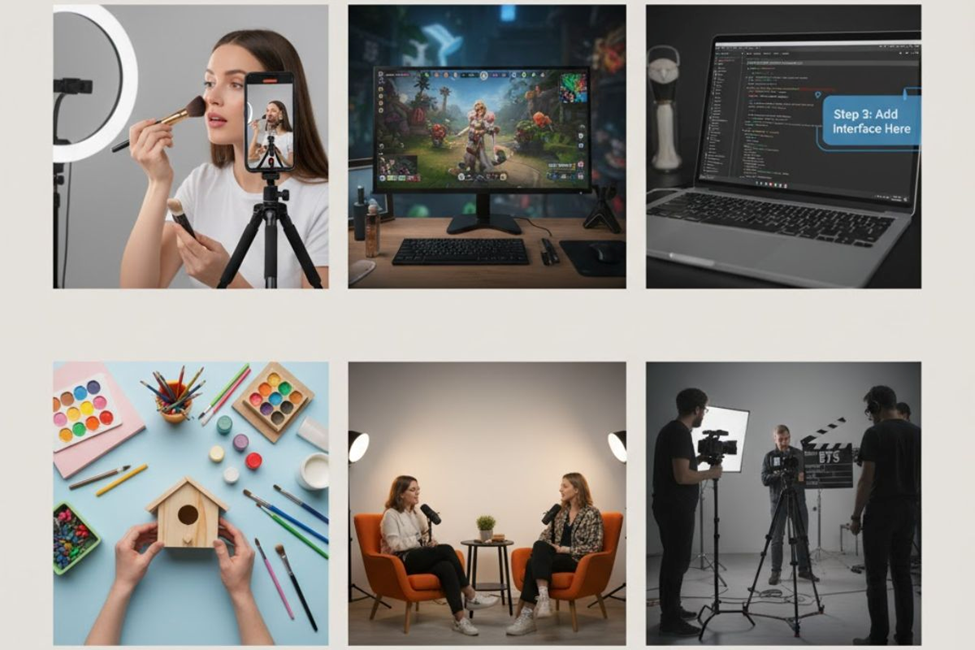
Makeup tutorials continue to be popular across platforms. From product reviews to demonstrating techniques for achieving specific looks, these videos help viewers improve their skills. Whether you’re showing how to apply cat-eye makeup, make lips look plump, or define the nose, step-by-step demonstrations are highly engaging and cost-efficient ways to share expertise.
Vlogs offer an intimate way to connect with viewers. These short videos feature you talking directly to the camera, capturing your thoughts and daily life. The intimacy created when someone speaks directly to the viewer makes vlogs popular across industries like travel, beauty, and fashion.
How-to tutorials span a variety of topics from home repair and DIY crafts to teaching digital skills like coding, social media management, and graphic design. These tutorials are valuable for showing your audience something they want to learn, presented as a series of steps they can follow.
Interview videos with experts, influencers, or thought leaders let your audience learn from interesting people. Do research beforehand about your interview subject and write interesting questions based on your findings to create engaging content.
Behind-the-scenes videos give fans a closer look at how things operate. Show people what goes into making your products or how your creative process works. These videos build trust with customers by adding a human feeling to your brand.
Finding Video Content Ideas
Finding ideas may be difficult at first, but a little research will likely give you a list of content options. Look at what your clients or potential customers are asking about, use those questions to make FAQ videos. Check what competitors in your market are doing to get ideas about what’s performing well.
Go directly to YouTube and type your general topic in the search bar. The drop-down menu will show suggestions for the most popular search terms related to your topic. These suggestions reveal what audiences are currently searching for and interested in learning.
Look at trends and topics that are popular in your industry. See what type of content performs best around specific topics you’re interested in. Experiment with different types of videos and use analytics to find what works best for your audience.
Conclusion
Creating successful tutorial videos doesn’t require expensive equipment or professional experience, just a smartphone, clear planning, and authentic delivery can transform your knowledge into engaging content. Whether you’re sharing makeup techniques, coding tutorials, or gaming walkthroughs, focusing on quality audio, proper lighting, and concise editing helps your videos stand out on platforms like YouTube and TikTok. Start with topics your audience genuinely needs, optimize your content with relevant keywords, and consistently deliver value to build a loyal following that keeps coming back for more.
Frequently Asked Questions
What equipment do I need to start making tutorial videos at home?
A smartphone with good camera quality, a ring light for proper illumination, and a USB microphone for clear audio are sufficient to begin creating professional-looking tutorials without breaking the bank.
How long should tutorial videos be for maximum engagement on social media?
Most high-performing tutorial videos run between 2-5 minutes on social media platforms, though the ideal length depends on your content complexity and platform, TikTok favors shorter clips while YouTube supports longer formats.
Which free video editing software works best for beginners creating tutorials?
MiniTool MovieMaker and CapCut offer user-friendly interfaces with powerful editing features, no watermarks, and all essential tools needed for trimming, adding captions, and enhancing your tutorial content without costs.
How can I find trending tutorial topics that people want to watch?
Use YouTube’s search suggestions, analyze competitor content performance, review customer questions, and check platform-specific trending sections to discover what your target audience actively searches for and needs.
What makes a tutorial video more likely to rank on YouTube and get views?
Include relevant keywords in your title and description, add accurate subtitles, create eye-catching thumbnails, maintain high audio quality, and deliver genuine value that solves specific problems viewers are searching to overcome.
No Comments yet!