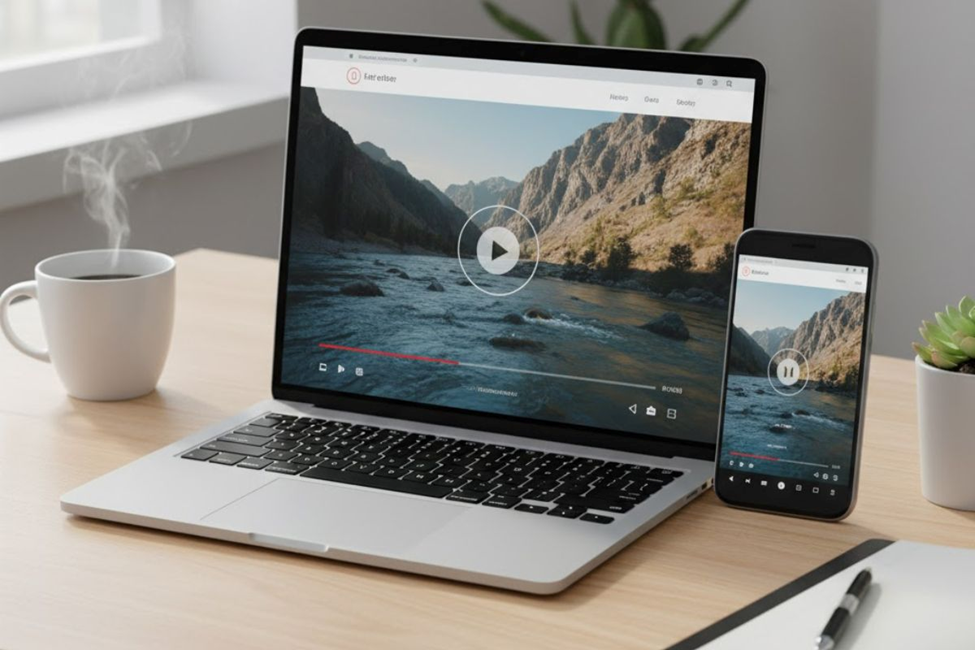
Understanding Video Optimization for Modern Websites
Video optimization represents a deft blend of art and science that aims to create better outcomes for people interacting with your Web site. This set of processes and practices is necessary for success in today’s digital landscape. When you optimize videos, you essentially work to reduce buffer time, ensuring content loads faster while maintaining quality. The benefits are common yet profound: your videos help you rank higher in search engines, improve accessibility for viewers with disabilities, and engender trust with your audience. These UX benefits work together to create a better user experience for everyone visiting your site.
Speed Optimization Through Bitrate Management
A wide array of tools and techniques exist to help you optimize different aspects of your videos and achieve positive outcomes. Speed comes first—you need to get to grips with a little thing called bitrate. This term refers to how many bits, or units of data, comprise the process to transfer content during a given period of time, usually measured per second. Essentially, bitrate represents the download speed rate at which users can play your video.
Don’t confuse bitrate with resolution, which indicates the level of detail in your video—for example, 720 pixels. While size correlates with quality, and higher resolution typically means bigger file sizes that turn into better picture quality, having everything set too high can negatively affect your Web page load time. This is bad for bounce rates and your site’s overall reputation.
When you encode videos, make sure to take into account what’s shown and choose between two types of bitrates as follows: Constant bitrate videos play at the same rate throughout the entire video—perhaps 10 Mbps consistently. This option is best when you require higher-quality content that needs to remain consistent and compatible across all platforms.
Variable bitrate videos shift between different speeds—maybe 5 to 12 Mbps. VBR videos adjust the bitrate level as the video plays, giving static or blank screens lower bitrates while important scenes keep higher quality. This approach helps keep file sizes low, making it perfect for uploading content to YouTube or Vimeo. The bottom line: to increase performance and improve your site, you need to know which bitrate type is suitable for your specific needs.
Faster Loading Times Transform User Experience
Most importantly, optimized videos load faster than their unoptimized counterparts. As we saw earlier, choosing the right bitrate type can help you strike a balance between picture quality and file size. Remember to choose constant bitrate videos when you require reliability and high quality, and variable bitrate videos when you’re uploading to YouTube or similar platforms where you need to reduce overall file size.
Why is reducing video size such a big deal? Well, it helps your videos load quickly, and the Web pages where they reside benefit too. Big, heavy files—the kind associated with extremely high quality videos or poorly optimized videos—increase page load time, leading to slow performance. This creates a bad user experience that hurts conversions as well. Nobody likes waiting around, twiddling their thumbs while content loads.
Data has shown that conversion rates drop by an average of 4.42% for every extra second added to page-load time during the first five seconds of a user’s visit. When it comes to optimizing videos, every second counts and can make the difference between engaging a visitor or losing them forever.
Seamless Playback Prevents Frustration
Another benefit of optimizing videos for users is that it prevents content from stalling, stopping, or needing to buffer halfway through playback. If you’ve ever had this happen during a Netflix movie, you’re acutely attuned to the kind of pain that comes from interrupted viewing. Users need smooth, uninterrupted video playback, it’s that simple from a user-experience perspective.
Seamless playback becomes especially important for businesses that rely on live streams or Webinars. In these cases, a slow, lagging, or broken video stream doesn’t just impair the quality of your presentation—it can cost you your entire audience. Again, videos that stutter and stagger usually come down to file size issues. Choosing the right bitrate and resolution is absolutely vital to ensuring your content plays without interruption.
Mobile Device Performance Requires Special Attention
How your Web site looks on mobile devices is key to success in today’s market. After all, Internet users spend over half their time online using a smartphone, and more than half of all Web-site traffic comes from mobile devices. This makes sense: if your videos need to look good on desktop, they need to look good on mobile too.
Fortunately, optimizing your videos gives you much more than just a fighting chance in this battle. Doug Sillers from Smashing Magazine shares an anecdote that’s particularly relevant here. While looking for a pumpkin patch for a family afternoon outing, he found a beautiful 4K drone footage of a field, showing sweeping, inviting orange vistas. When he watched the video on his computer, he loved what he saw.
The issue came when he tried opening the same video on his mobile phone—he couldn’t view it properly. The video started, then stalled, and finally stopped playing altogether. After doing a deep dive to understand what was happening, he realized the video was 157 MB with a 20 Mbps bitrate. Therefore, to play the video unencumbered and without lags, his mobile device needed a streaming rate that matched the playback requirements.
The pumpkin-patch proprietors didn’t ensure their video bitrate matched up with mobile capabilities, failing to attain that Holy Grail of balancing speed and quality. As a result, they provided a poor user experience and lost viewers who were accessing their site via smartphone—missing out on most of their potential audience.
Search Engine Rankings Improve With Optimization
As far as SEO (search-engine optimization) goes, optimizing your videos can help you rank higher in search-engine results pages. This can lead to more views and engagement, which increases your chances of getting your message across, increasing visibility, and ultimately driving more traffic to your Web site.
According to Serg Aspidoff, Founder and CEO of Shoutcart, optimized video content isn’t just beneficial—it’s important for how you interact with and connect to customers. Videos help you build your brand and community while keeping your existing audience entertained and engaged. They’re also handy for introducing your products and services to an ever-widening circle of new customers, contributing significantly to business growth.
Key SEO Optimization Tips
While there are many aspects to video optimization, here are a few surefire tips to get you started: Optimize your titles, descriptions, and keywords for what you’re targeting. Make sure everything is concise, inviting, and descriptive. Create compelling thumbnails—they’re the equivalent of what you’re placing in your shop window, so they’re worth spending time getting right.
Provide transcripts for your videos. This approach lets even people who are watching without headphones access the sound content and enjoy what you’re sharing. Transcripts are also important for accessibility, something we’ll discuss in greater depth shortly.
Accessibility Benefits All Users
When you optimize videos, you create a better experience for all users—and we’re talking about every single person, which means it’s vital to ensure your content is accessible and capable of being watched and enjoyed by people with disabilities. Fortunately, the benefits of accessibility extend beyond reputation they improve levels of consumer trust, search rankings, and conversions too.
Plus, many of the things you do to increase accessibility overlap with other optimization techniques, so you’re setting yourself up for success across multiple fronts. One example: Providing transcripts gives people with hearing disabilities another way to access your content while also providing an additional avenue through which search engines can discover and delve into your content.
Another example involves adding captions to your videos. Gen Z viewers in particular love watching movies and videos with captions, but they’re also good for general usability and business outcomes. A PLY Media study discovered that while 66% of participants watched uncaptioned videos all the way to the end, a staggering 91% saw captioned videos through to completion. Of course, adding captions also ensures that people who are hard of hearing are able to enjoy your content fully. Because UX matters for everyone, your optimization efforts should benefit the entire spectrum of users.
Best Practices for Video Implementation
Avoiding Automatic Video Playback
Do we really need to tell you to avoid having videos start playing automatically? We certainly hope not, but here’s a statistic anyway: 80% of viewers react negatively when videos start playing on their own, especially with sound enabled. We reckon it must be closer to 100% in reality.

Automatically playing videos is annoying and provides an extremely poor user experience. As a general rule, this practice should be avoided at all costs. Give users control over when they want to engage with your video content, and they’ll be far more likely to actually watch what you’ve created.
Contextual Placement Within Web Pages
Optimizing videos to improve user experience isn’t just about the videos themselves—it also matters how you slot them contextually within each page. There’s no point in creating the most efficiently optimized video in the world only to place it at the bottom of a page where no one will see it, or where the content feels out of place and fails to add value.
Think about the page as a whole rather than focusing on individual parts in isolation. Make sure you intelligently integrate your videos into your pages instead of just tacking them on as an afterthought. The placement, surrounding content, and overall flow should all work together to enhance the user’s journey through your site.
Optimizing the Entire Web Environment
It’s not enough to optimize just the video itself—you also need to optimize the Web page and site where your videos reside. Placing a perfectly optimized video on a poorly optimized page is akin to hanging the original Mona Lisa in a dilapidated shack. Sure, the painting itself might be beautiful, but if everything going on around it is in shambles, people won’t be able to fully appreciate what you’re offering.
Take care of your entire site’s speed, interactivity, and cohesion. To assess your success, Google’s Core Web Vitals provide a good place to start. Consider the following ranking factors: how long your pages take to load and become interactive, and whether any elements on your page cause unexpected movement.
This last point about on-site videos is particularly important. How many times have you been viewing content on your smartphone, only to have everything jump around just as you thought you were tapping on something? You end up zooming in inadvertently, opening something you weren’t trying to access, or when trying to scroll down, you wind up clicking a link that takes you to another site instead. These frustrating experiences damage trust and drive visitors away.
How Videos Enhance User Engagement
Information Flow Becomes Effortless
The primary reason videos are incorporated into user interfaces is to enhance the clarity and ease of information flow. A concise, one-minute video can effectively convey a large amount of information that would otherwise take users much longer to read and understand through text alone.
Think about screenshots and mockups—while useful, they require mental effort to process. This is why explainer videos, video tutorials, and guides have become more successful when content is presented in video format. By utilizing videos, you provide a quicker and more engaging way for visitors to access valuable information without expending excessive time or effort.
Engaging Multiple Senses Simultaneously
One of the greatest advantages videos offer lies in their ability to engage multiple senses simultaneously. By demonstrating concepts visually and aurally, you help users quickly grasp complex ideas without the need to scroll through content, view multiple images, or mentally juggle various pieces of information.
Since human attention spans are becoming shorter, video content now represents one of the most efficient ways to capture and maintain user engagement. This increased engagement naturally increases your chances of achieving conversions, whether that means making a sale, securing a signup, or getting visitors to take some other desired action.
Visual Storytelling Creates Lasting Impact
One of video’s most notable strengths is its capacity to captivate viewers through the art of visual storytelling, often accompanied by compelling voiceovers and music. Stories have a unique appeal—they clarify concepts, depict real-world situations, provide enjoyment, and offer aesthetic value that makes content easier to comprehend and remember.
When you incorporate storytelling into your videos, you typically follow a three-phase structure: presenting challenges or pain points that your audience faces, evoking emotions that create connection, and then demonstrating solutions that address those initial problems. This narrative arc keeps viewers engaged from start to finish while making your message more memorable.
Creating Atmosphere and Emotional Resonance
In addition to static images embedded in your UI, videos play a significant role in creating the desired atmosphere that shapes user experience. Whether you’re showcasing a place, an event, or a product demonstration, video takes everything to a whole new level. It allows viewers to instantly connect with the vibe and ambiance you’re trying to convey, creating an immersive experience that’s gaining popularity and becoming increasingly sought-after.
Regardless of how logical or intelligent your audience may be, their decisions are frequently influenced more by emotions rather than pure facts. The feelings people experience—what they feel like, what they want—often have a stronger grip on behavior than reasoning, calculations, or analysis alone. Video serves as a powerful tool to tap into this emotional aspect. By combining various influential factors into a single medium, videos offer time-saving benefits while creating a higher likelihood of establishing an emotional connection with your audience.
Different Video Types Serve Unique Purposes
Research shows that users form their first impression of a website within just 50 milliseconds. This means your videos represent a vibrant chance for visitors to decide whether to stay and explore further. Below are some popular types of video content commonly used in UX designs:

Introduction Videos
Introduction videos appear on company or portfolio websites with the purpose of warmly welcoming visitors through a friendly, lively introduction. These might showcase what happens behind the scenes or appear on an About page, serving to intriguingly describe team members, the company mission, and key accomplishments. When kept short and sweet, they deliver essential information in a nutshell while enabling visitors to make a personal connection instantly.
Promotional Videos
Promotional videos are designed to highlight events, new releases, premieres, or major updates. Such videos often have the main goal of encouraging viewers to learn more, make a purchase, or take some other action. By showcasing the benefits and features of what you’re offering, promotional videos help increase brand awareness and familiarize your target audience with what’s being offered. A good example would be GoPro’s promotional video for their HERO10 action camera.
Testimonial Videos
Testimonial videos leverage the power of social proof. Research has revealed that 93% of consumers find online reviews helpful when making purchase decisions. Taking testimonials a step further by sharing customer feedback in video format makes them more powerful for influencing potential buyers and helping them make quick, confident choices. These videos allow actual customers to engage viewers while vividly describing their experiences, contributing to building a positive brand image and reputation while reinforcing trust and confidence. You can see how Dropbox showcases customer testimonials in video format for inspiration.
Background Videos
Background videos form an integral part of website design. Rather than remaining still and static, these videos are seamlessly integrated into web pages by UI designers, often as full-screen displays. They provide a glimpse into your brand that creates visual interest and immediately captures the viewer’s attention, conveying the essence of what you’re all about. A Swedish-Norwegian company that provides data-driven communication for projects demonstrates this approach effectively, using visually engaging graphics in their background videos to connect with clients.
Product Videos
Product videos prove vital for enhancing e-commerce experiences. You’ll find them on landing pages offering detailed descriptions of product advantages and capabilities. They show potential customers how your offerings can solve their problems, visually demonstrating value and helping them make informed purchasing decisions. The following example gives viewers a sneak peek into Peloton’s exercise bike, bringing the studio experience right into people’s homes.
Motion Graphics Videos
Motion graphics videos employ animated graphic elements and shapes to leave a lasting impression around a specific theme. Though not necessarily featuring realistic imagery, this approach helps you visualize abstract or intricate concepts in a simple, understandable manner. Motion graphics simplify communication about complex topics, making information easier to digest and remember. A great case study is Cisco’s Secure Client video, which includes captivating animations that make technical information more accessible.
Conclusion
Video optimization isn’t just a technical necessity—it’s your pathway to delivering exceptional user experiences that drive real business results. By balancing speed, quality, and accessibility while strategically placing videos throughout your site, you create seamless interactions that keep visitors engaged and coming back. When you prioritize mobile performance, implement proper bitrate management, and choose the right video types for your goals, you’re not just improving load times—you’re building trust, boosting conversions, and setting your brand apart in an increasingly competitive digital landscape.
Frequently Asked Questions
What’s the ideal bitrate for website videos?
For most websites, variable bitrate (5-12 Mbps) works best as it balances quality with smaller file sizes, while constant bitrates (around 10 Mbps) suits platforms requiring consistent high-quality playback across all devices.
How does video optimization affect my search rankings?
Optimized videos load faster and keep users engaged longer, which signals quality to search engines, plus transcripts and captions provide additional indexable content that helps your pages rank higher for relevant searches.
Should I add captions to all my videos?
Absolutely, 91% of viewers watch captioned videos to completion compared to just 66% for uncaptioned ones, and captions improve accessibility while boosting SEO by giving search engines more text to index.
What video length works best for user engagement?
Keep introduction and explainer videos under 2 minutes for maximum retention, while product demos can run 3-5 minutes if they deliver clear value, the key is maintaining relevance and pacing throughout.
How can I test if my videos work well on mobile?
Check your video’s file size and bitrate against typical mobile data speeds (aim for under 50 MB with 5-8 Mbps bitrate), test playback on actual devices across different networks, and monitor Core Web Vitals for mobile performance metrics.
No Comments yet!